

Key Takeaways
• Old blog posts that have lost traffic are not failures. They are recoverable assets with existing authority.
• Historical content optimization is one of the highest ROI activities available to small businesses and marketers.
• Smart SEO services for small business turn under-performing posts into steady, compounding sources of organic traffic.
• Updating existing content costs a fraction of creating new posts and can show ranking improvements within days.
• Tracking the right metrics before and after each update is essential to knowing what is actually working.
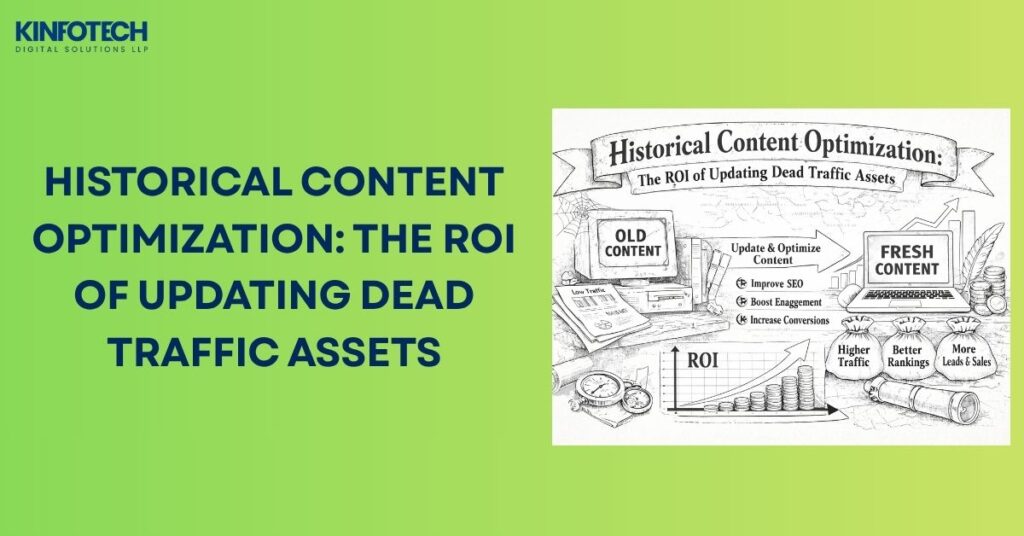
If you have been running a blog for a while, chances are your older posts are quietly fading into the digital abyss. No clicks. No shares. No conversions. Just sitting there taking up server space. The good news? Those forgotten articles are not dead weight. They are untapped goldmines waiting to be rediscovered. With the right approach to historical content optimization and smart SEO services for small business, you can breathe new life into your existing content, pull in consistent organic traffic, and dramatically improve your return on investment without writing a single new post from scratch.
This guide is built for small business owners and marketers who want to work smarter, not harder. Let us dig in.
What Is Historical Content Optimization and Why Does It Matter?
Historical content optimization is the practice of revisiting, refreshing, and strategically updating older blog posts and web pages to make them more relevant, accurate, and search engine friendly. Instead of constantly creating new content, you improve what already exists to recapture lost traffic and improve rankings.
Here is why this approach is a game changer for small businesses:
• Old posts often rank for keywords that have shifted in search intent over time
• Search engines reward freshness signals, meaning updated content can jump in rankings quickly
• Your existing content already has some domain authority and backlinks attached to it
• Refreshing a post takes significantly less time than writing a new one
• It directly improves organic traffic without increasing your content production budget
For small business owners who are stretched thin on time and resources, historical optimization through reliable SEO services for small business is one of the highest ROI activities available. You already did the hard work of creating the content. Now you simply need to make it work harder for you.
Also read: How to Use AI for On-Page SEO to Optimize Your Website Content
Also read: How Internal Linking Improves Website SEO
Check out: How Local SEO Increases Profits for Small Businesses
How to Identify Which Old Blog Posts Are Worth Updating
Not every old post deserves your time and energy. The goal is to find the pieces that have the most potential to bounce back in search rankings with a strategic refresh. Here is a proven process for identifying your best candidates.
Step 1: Pull Your Traffic Data
Log into Google Analytics or Google Search Console and look at:
• Posts that once had decent traffic but have seen a steady decline in the past 6 to 12 months
• Pages that are ranking on page two or three of search results (positions 11 to 30)
• Articles with a high number of impressions but a low click through rate
• Posts that still receive some organic traffic but have high bounce rates
Step 2: Look for Outdated or Thin Content
Once you have your shortlist, open each post and assess the following:
• Are there any statistics, facts, or references that are outdated or no longer accurate?
• Does the post lack depth compared to what is currently ranking on page one?
• Is the post missing key sections like a proper introduction, FAQs, or a conclusion?
• Does it have broken links or images that no longer load?
• Is the content missing relevant keywords that have become important in your niche?
Step 3: Score Each Post by Update Potential
Rate each post using a simple scoring system:
• Current ranking position (lower is better for recapture potential)
• Monthly impressions from Search Console
• Relevance of the topic to your current business goals
• Time and effort required to update
Posts that score high on all four criteria should move to the top of your update queue. This kind of structured audit is exactly what professional SEO services for small business providers do to help you prioritize your content investments smartly.
Also read: Pay for Performance SEO: Why It Fails and What Works Instead
Explore: Our Full SEO Services for Small Business
The ROI Case for Updating Existing Content vs. Creating New Posts
Many small business owners fall into the trap of thinking that more content automatically equals more traffic. This is one of the most expensive misconceptions in digital marketing. Here is how the math actually breaks down.
Creating New Content
• Requires significant time investment (research, writing, editing, publishing)
• Starts from zero authority, zero backlinks, and zero ranking history
• Takes anywhere from 3 to 12 months to rank competitively in most niches
• Higher upfront cost if you are outsourcing content creation
Updating Existing Content
• Builds on existing domain authority and any backlinks the post has accumulated
• Can show ranking improvements within days to weeks
• Costs a fraction of the time and budget compared to creating new posts
• Stronger signals to search engines that your site is actively maintained
The math is clear. If you have 50 old blog posts sitting at page two or three of Google, even moving 10 of them to page one positions can generate a significant surge in monthly organic traffic. That is the ROI of historical content optimization in action. When paired with affordable SEO services for small business, this approach becomes even more powerful. You get expert guidance on which posts to update, what keywords to target, and how to structure your refreshed content for maximum impact.
Also read: What Are AI SEO Agents? Features and Benefits Explained
Check out: Does ChatGPT-Generated Text Hurt Your Website SEO?
A Step-by-Step Framework for Optimizing Old Blog Posts
Once you have identified your target posts, here is a practical framework for updating them effectively.
1. Update All Facts, Data, and References
Outdated statistics are one of the biggest reasons old posts lose credibility and rankings. Go through your post and:
• Replace any statistics with figures from 2024 or 2025 publications
• Update tool recommendations, software names, or platform features that have changed
• Fix or remove any broken external links
• Add new research or case studies that support your key points
2. Expand and Deepen the Content
Thin content rarely ranks in competitive niches. If your original post is under 800 words, it likely needs significant expansion. Consider adding:
• A detailed FAQ section addressing common reader questions
• Step-by-step instructions or a how-to walkthrough
• Visual elements like infographics, comparison tables, or embedded videos
• Real examples or case studies relevant to your audience
3. Optimize On-Page SEO Elements
This is where strategic keyword placement makes a significant difference:
• Update your H1 tag to include your primary target keyword naturally
• Add keyword-rich subheadings (H2 and H3 tags) throughout the post
• Rewrite your meta title and meta description with current best practices
• Add internal links to newer relevant posts on your site
• Ensure your target keyword appears naturally in the first 100 words
4. Improve Readability and User Experience
Search engines measure how users interact with your content. Improve engagement by:
• Breaking up long paragraphs into shorter, more digestible chunks
• Using bullet points and numbered lists for scannable sections
• Adding a table of contents for longer articles
• Ensuring your post loads quickly on mobile devices
• Including a clear call to action at the end of each major section
5. Update the Published Date and Republish
Once your updates are complete, change the published date to reflect the current update, add a note at the top of the article stating when it was last refreshed, and resubmit the URL to Google Search Console for faster reindexing. This freshness signal can give your updated post an immediate ranking boost.
Also read: Understanding the Role of Good Backlinks in SEO Performance
Explore: Our SEO Solutions and Packages
Common Mistakes to Avoid When Updating Old Blog Content
Even with the best intentions, small mistakes during content updates can hurt your rankings rather than help them. Watch out for these pitfalls:
• Changing your URL slug without setting up a proper 301 redirect. This will cause you to lose all the link equity the original URL has accumulated.
• Over-optimizing with keywords. Stuffing your target keyword into every paragraph will trigger search engine penalties. Keep it natural and strategic.
• Removing content without replacing it. If you cut sections, make sure you are adding value elsewhere in the post to maintain or increase the overall word count.
• Ignoring mobile optimization. A large portion of search traffic now comes from mobile devices. Make sure your updated post looks and loads perfectly on smaller screens.
• Skipping internal linking. Every refreshed post is an opportunity to connect your audience to other valuable pages on your site, improving both user experience and crawlability.
• Forgetting to update your metadata. An outdated or poorly written meta title and description will tank your click through rate even if your rankings improve.
Also read: How to Get More Local Business Leads with SEO
Check out: Why a Website Is Important for Your Business
Content Optimization: Turning Every Update into a Ranking Opportunity
Refreshing old posts is only half the equation. True content optimization goes deeper, ensuring that every piece of content on your site is structured, written, and formatted to perform at its peak for both search engines and real human readers. This means aligning your updated posts with current keyword intent, refining on-page elements like title tags, meta descriptions, and header hierarchy, and making smart use of AI-powered tools to identify gaps your competitors are already filling.
On-page SEO and content optimization work hand in hand with historical refreshes. When you update an old post, you are not just adding new words. You are giving Google a clearer signal about what that page is about, who it is for, and why it deserves to rank. Small businesses that combine a regular content refresh schedule with a disciplined on-page optimization process consistently outperform those that treat content as a one-and-done task.
Whether you are optimizing meta tags, restructuring headings, tightening your keyword usage, or improving internal link structures, every on-page improvement compounds over time. And with AI-driven SEO tools now available even to small teams, the process is faster and more precise than ever before.
Also read: How to Use AI for On-Page SEO and Content Optimization
Explore: Our SEO Services for Small Business
How Professional SEO Support Amplifies Your Results

Doing historical content optimization manually can yield solid results. But pairing it with expert guidance takes your outcomes to an entirely different level. A skilled SEO team brings:
• Comprehensive keyword research to identify new ranking opportunities within your existing content
• Competitive analysis to understand exactly what your top ranking competitors are doing differently
• Technical SEO audits to catch issues like slow page speed, crawl errors, and broken internal links
• Structured content strategies that align your updates with your broader business goals
• Ongoing tracking and reporting so you can see exactly how each updated post is performing
Here is a real-world example of what this looks like in practice. A small e-commerce store had 60 blog posts sitting between positions 15 and 35 on Google. After a structured content refresh with professional SEO support, 18 of those posts moved to page one within 90 days. That is not new content. That is the same content, working harder because of strategic updates and proper optimization.
For small business owners managing everything on their own, this level of support is not a luxury. It is a force multiplier. With the right SEO services for small business, your content refresh efforts become part of a cohesive, results-driven strategy rather than isolated fixes.
Also read: Digital Marketing for Small Business: Tips That Actually Work
View our work: Client Portfolio and Case Studies
Measuring the Success of Your Historical Content Updates
You cannot improve what you do not measure. After republishing updated posts, track these key metrics over the following 30 to 90 days:
• Organic traffic: Is the post receiving more visits from search engines than before the update?
• Keyword rankings: Are your target keywords moving up in position on Google?
• Click through rate: Has your updated meta title and description improved the percentage of users clicking on your result?
• Bounce rate: Are visitors staying on the page longer and engaging with the content?
• Conversions: Is the updated post generating more leads, sign-ups, or sales for your business?
Use a combination of Google Analytics and Google Search Console to pull these numbers. Set a baseline measurement before you publish your updates so you have a clear comparison point.
If you are working with an SEO agency or consultant, ask for a monthly content performance report that breaks down the impact of each updated post. Transparency and data accountability are hallmarks of quality SEO support.
Also read: Marketing Tips and Growth Strategies for Small Businesses
Explore: Our Full Digital Marketing Services for Small Business
Final Thoughts: Your Old Blog Is a Revenue Source Waiting to Happen
Every small business owner who has been creating content for more than a year is sitting on a library of underperforming posts that could be generating serious organic traffic. The real opportunity is not in writing more. It is in making what you already have work better.
Historical content optimization is one of the smartest, most cost-effective strategies in modern digital marketing. When you combine a systematic update process with professional SEO services for small business, you create a compounding effect where your older content continues to deliver value month after month, year after year.
Stop treating old posts as failures. Start treating them as assets. Audit your content, refresh your best candidates, and watch your organic traffic climb without the overhead of constant new content creation.
Whether you handle your marketing in-house or bring in outside help, the most important step is simply to start. Identify your best candidates this week. Update one post. Measure what happens. Keep going from there.
If you want expert help making this happen faster, our team offers proven, budget-friendly strategies built specifically for small business growth. From content audits to full SEO management, we help you spend less and get more from every piece of content you have already created.
Explore all our services: Digital Marketing Services for Small Business
Read more on our blog: Marketing Tips and Growth Strategies for Small Businesses
FAQs
Q1. How long does it take to see results after updating an old blog post?
Most updated posts show ranking improvements within 2 to 6 weeks, especially if you resubmit the URL to Google Search Console immediately after publishing.
Q2. Does updating old content affect my existing rankings?
Done correctly, updating old content improves your existing rankings by adding freshness signals, better keyword alignment, and improved user engagement metrics.
Q3. How many words should an updated blog post be to rank well?
Aim to match or slightly exceed the average word count of the top 3 results currently ranking for your target keyword, typically between 1,500 and 2,500 words.
Q4. Can I update a post that has zero traffic and still see results?
Yes, posts with zero traffic but decent topical relevance can recover with proper keyword targeting, content expansion, and internal linking from stronger pages on your site.
Q5. Should I change the URL when I update an old blog post?
No. Always keep the original URL to preserve any existing backlinks and domain authority. Only change the URL if the old one is severely misaligned, and always set up a 301 redirect if you do.